Guide
How long should you stand at a standing desk?
Published
Note: This page contains affiliate links. If you buy through them we may earn a commission at no extra cost to you. Learn more
In short
There is no single official figure. The HSE's guidance on display screen work is to break up long periods with changes of activity or posture, rather than to stand for a set time. Many people find a routine of switching between sitting and standing every 30 to 60 minutes easy to keep, starting with shorter standing spells. Use presets and a reminder so switching takes one button press.
Products for this job
Compare all 7 productsMaidesite T2 Pro Plus frame: 62 to 125 cm, dual motor
Check price on AmazonAffiliate linkMaidesite 140 x 70 cm: 72 to 120 cm, 80 kg
Check price on AmazonAffiliate linkErGear 140 x 80 cm: 4 presets, USB-A port
Check price on AmazonAffiliate link
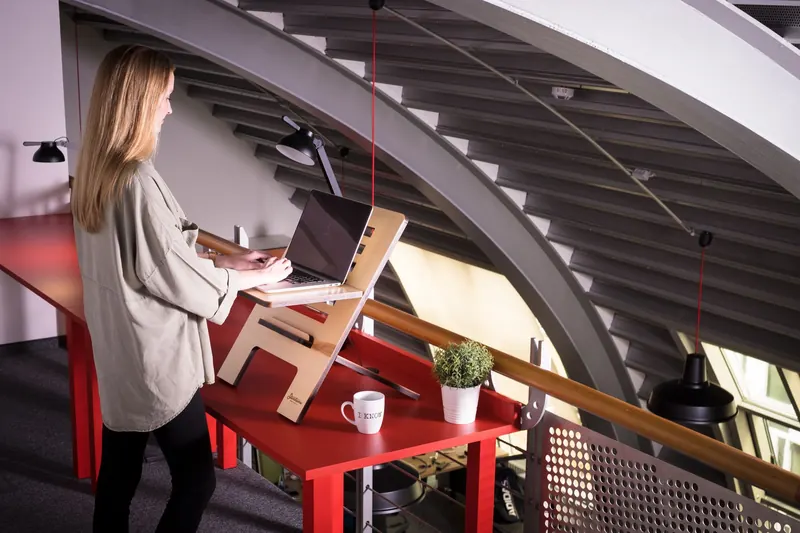
Buying a standing desk is the easy part; working out how to use it is less obvious. Some people stand all day for the first week and then never raise the desk again. Others forget to stand at all. The aim is variety: changing between sitting and standing, and moving around, rather than replacing long sitting with long standing. This explainer looks at what the HSE says, common routines people use, how presets and reminders help, and practical tips. It does not make health claims; it focuses on how to use the desk.
What the HSE says
The HSE's guidance for display screen equipment users focuses on the workstation being set up properly and on breaking up long spells of screen work. It suggests short, frequent breaks or changes of activity are better than occasional long ones, and that you should be able to change position. A sit-stand desk is one way of doing that, but the guidance does not set a number of minutes for standing.
In other words, the goal is to change position regularly. Standing still for hours is just another fixed posture.
Common sit-stand routines
These are routines people commonly use. They are starting points, not targets. Adjust them to suit your work and how you feel.
| Routine | How it works | Suits |
|---|---|---|
| Hourly switch | Sit for 30 to 45 minutes, stand for 15 to 30 | Most office work |
| Task-based | Stand for calls and reading, sit for detailed work | Varied days |
| Meeting switch | Change position at each call or meeting | Busy calendars |
| Starter routine | Short standing spells of 10 to 15 minutes | First weeks |
- Start with short standing spells and build up gradually
- Change position before you feel you need to
- Move about: walk to make a drink or take calls on your feet
- Sit when you need to concentrate on detailed mouse work, if that suits you better
Use presets and reminders
The easiest way to stick to a routine is to make switching effortless. Save your sitting and standing heights as presets, so changing position is one button press. Our presets guide explains how. Without presets, many people stop bothering to raise the desk.
Some controllers include a sit-stand reminder. Maidesite's frames list an alarm that can be set for 30 minutes, 1 hour or 2 hours, and the ERGOMAKER electric converter lists sedentary reminders from 0.5 to 2 hours. If your desk has none, a phone or computer timer works just as well.
Make standing comfortable
Standing comfortably depends on getting the height right. Set the desk so your forearms are roughly horizontal at the keyboard, and adjust your screen so the top is at or just below eye level. Our height chart and desk height fit tool help find the right settings.
Wear supportive shoes, or stand on an anti-fatigue mat if you work in socks or on a hard floor. Shift your weight and move your feet rather than locking your knees. A footrest or low step to rest one foot on is a common trick. If you use a converter on an existing desk, check the keyboard tier reaches your standing elbow height.
Your chair matters too. When you sit back down, the chair should still be set to your seated desk height, with feet flat and forearms level. If two people share the desk, save separate presets for each and adjust the chair each time. A chair with a quick seat height lever makes the switch easier.
Why use a sit-stand desk at all
The main practical benefit is choice: you can change position whenever you want without leaving your work. That fits the HSE's emphasis on breaking up long periods at a screen. A sit-stand desk also lets you set the desk height precisely for sitting, which helps shorter and taller people whose fixed desk was never the right height. If you are unsure whether you will use it, a desk converter is a cheaper way to try; see our desk vs converter comparison.
Frequently asked questions
How long should I stand at a sit-stand desk? There is no official figure. Many people switch every 30 to 60 minutes and build up standing time gradually.
Is it better to stand all day? Standing still all day is another fixed posture. The aim is to change position regularly.
How do I remember to switch? Use a desk reminder if it has one, or a timer, and save presets so switching is quick.
Do I need a mat? An anti-fatigue mat helps if you stand on a hard floor or in socks. Supportive shoes do a similar job.
What you need
- Check price on AmazonAffiliate link
Maidesite T2 Pro Plus frame: 62 to 125 cm, dual motor
- Check price on AmazonAffiliate link
VIVO K Series 107 cm: wide top, vertical lift
- Check price on AmazonAffiliate link
Flexispot 3-stage frame: 60 to 125 cm, dual motor